Nothing to sign.
No term, and no exit fee the size of the rest of your contract. Stay because it's better.
Replace ServiceTitan, Housecall Pro or Jobber, and save 90% of what you pay them.Bring your customers, jobs and invoices across from their own exports. Or let our engineers do it, free.
Tick what you pay for, then drag to your real number or type it in. We've started you on a company with 10 technicians.
You've been paying for the name on the invoice, and signing a contract to keep paying it. We rebuilt the software from the ground up, made it work with or without signal, and priced it at a tenth of what you pay.
What a company with 10 technicians can expect to pay, and what you'd pay for something better.
| If you pay for | Yearly bill | With ServiceKing | You save, every year |
|---|---|---|---|
| ServiceTitanHow to move over | $32,400 | $3,240 | $29,160 |
| JobberHow to move over | $7,188 | $719 | $6,469 |
| Housecall ProHow to move over | $3,588 | $359 | $3,229 |
ServiceTitan doesn't publish prices, so its figure is the middle of the $245 to $300 per technician a month reported by third parties. Jobber's is its Plus plan for 10 users. Housecall Pro's is the MAX plan as reported by third parties, before any extra users. Checked November 2026. Your bill may differ, so put your own number in above.
No term, and no exit fee the size of the rest of your contract. Stay because it's better.
One button in Settings downloads your whole company as plain spreadsheets and files. No account manager involved.
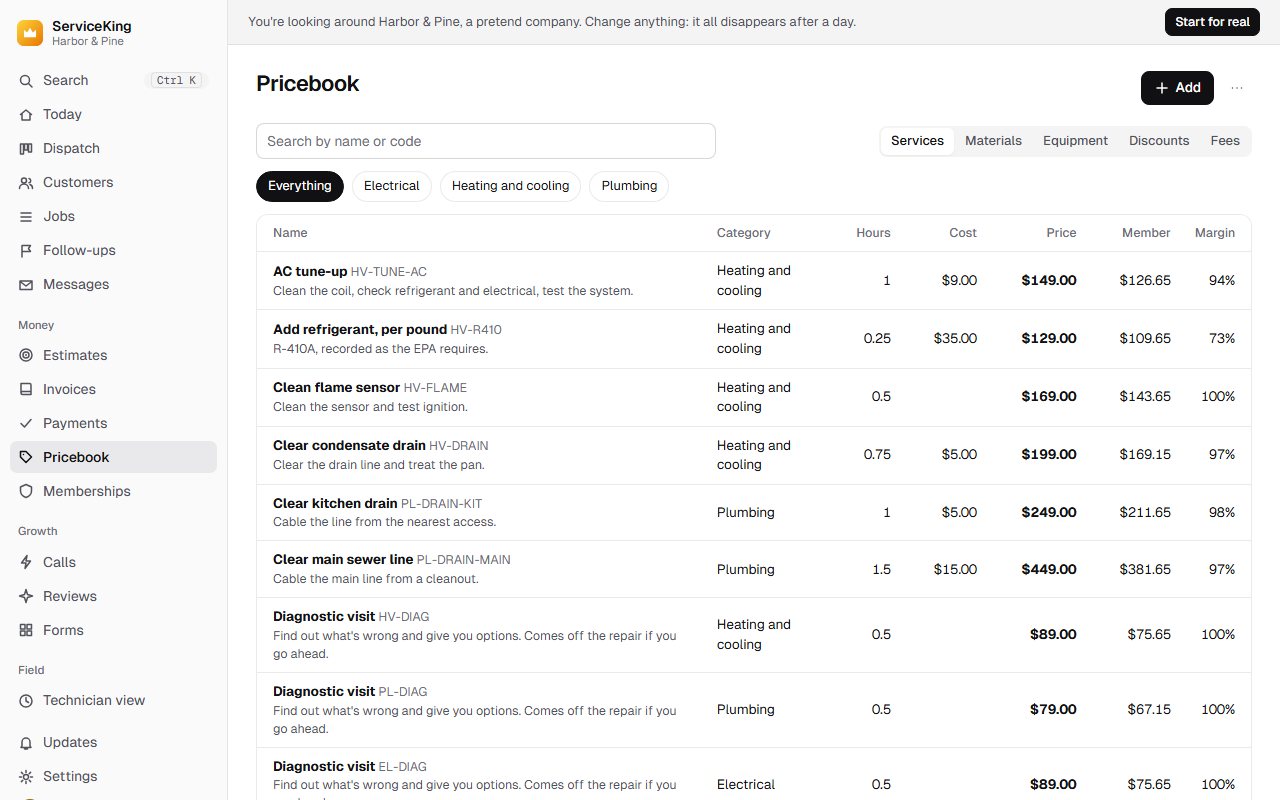
Pick your trade and you start with a working pricebook, then change what you like.
Dispatch, scheduling, the pricebook and messaging are simply part of it.
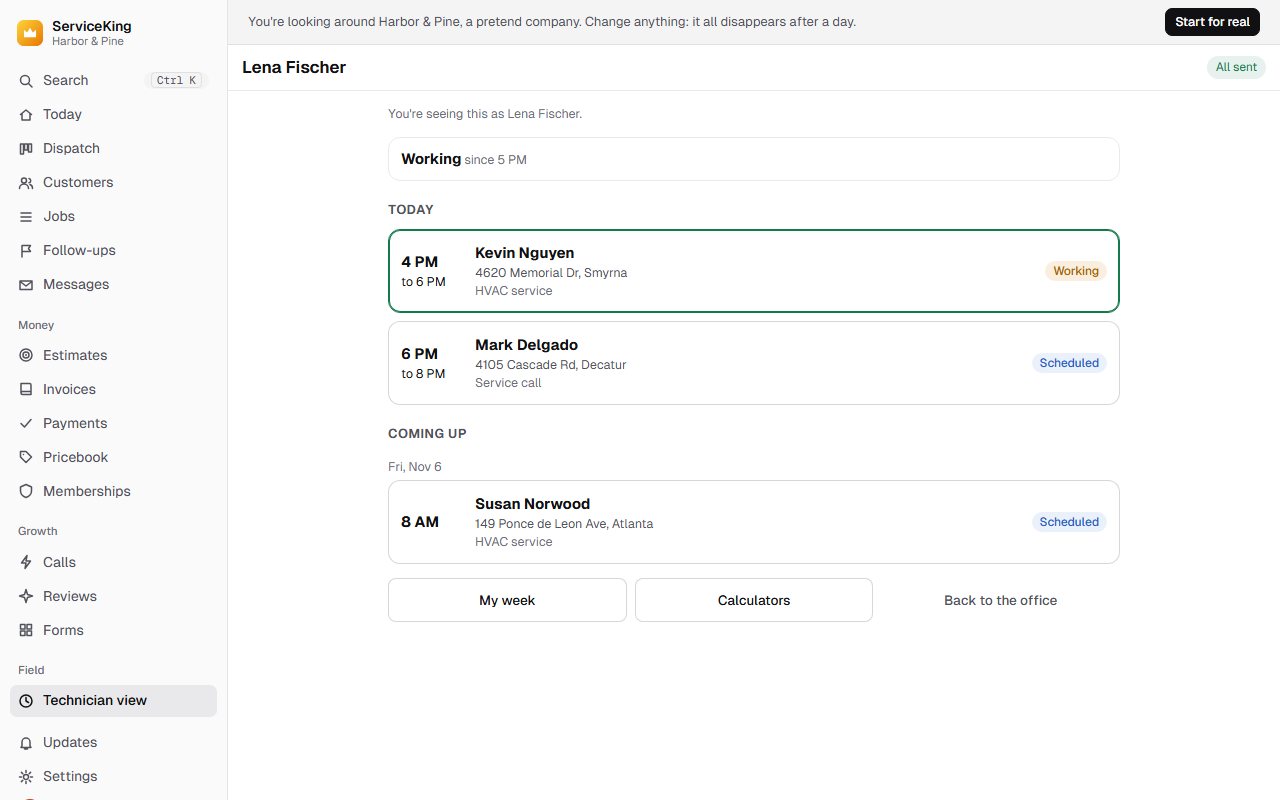
A technician can run a whole job from a basement. It catches up on its own, and nothing is sent twice.
Any phone, tablet or computer, in any browser. Add it to the home screen and it opens like an app.
Each part does its job in the simplest way we could find, and they all know about each other. Open any of them and try it for yourself.
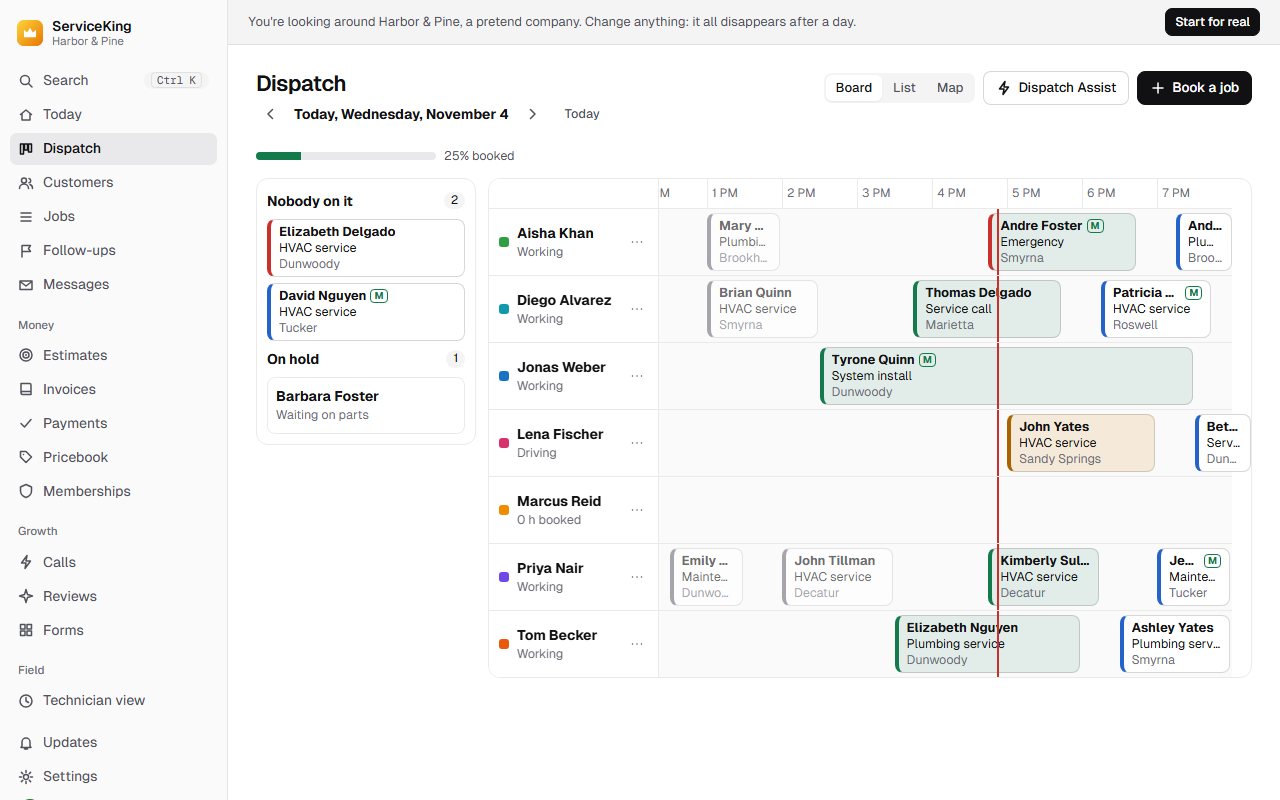
Drag a job onto a technician, or let it suggest who should go by skill, zone and drive time. One click puts a route in the best order.
Customers hear about it: booked, on the way and finished go out on their own.
The whole job runs from the phone's own copy: photos, forms, estimates, signatures and payments. Signal or not.
Show the options at the kitchen table, or send a link. They sign on the screen, and a follow-up comes up by itself if they don't.
Cash, check or card, on site or from a link. Taxes, deposits, partial payments and what's overdue are all worked out for you, to the cent.
Start with one made for your trade. Member prices, price rules and bulk changes included.
Plans, visits due, billing and renewals look after themselves, and so do service agreements for commercial accounts.
Two-way texts, review requests, and each call tied to the customer and the ad that brought them.
Customers book real openings from your site, and can pay, approve and see their history without calling.
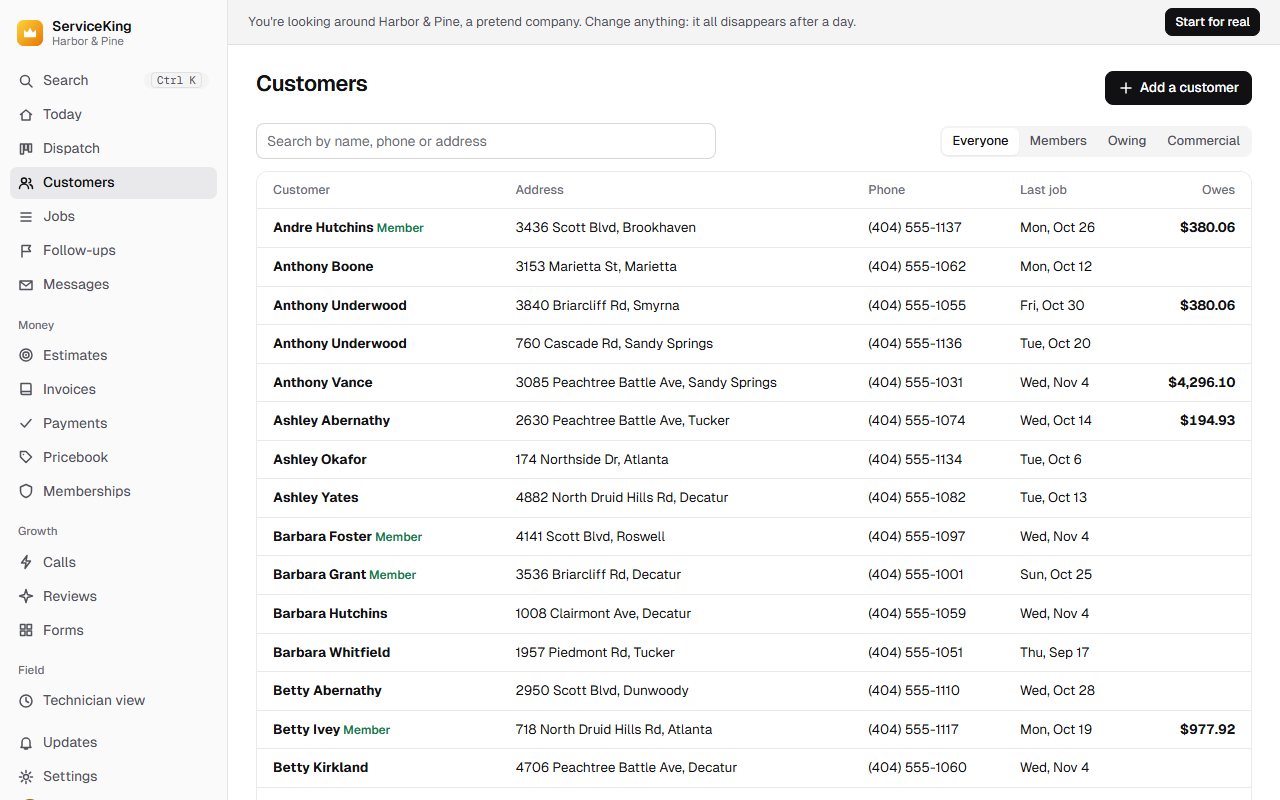
Every address, contact, job, invoice, membership and installed unit, a search away.
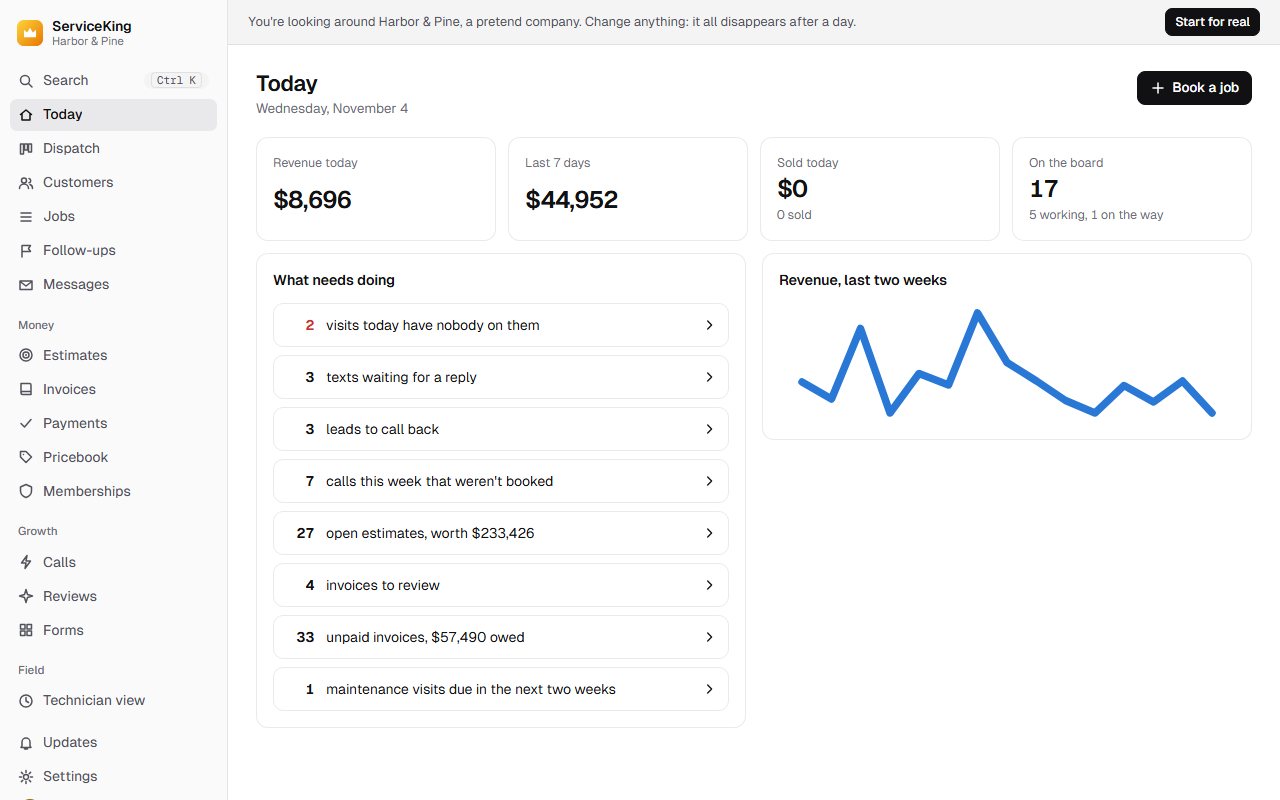
These are the real screens, not mockups. The demo opens a working company with no sign-up, so you can see for yourself in about a minute.
Try the demoBring your data across yourself in minutes, or have our engineers do it for free. Your old system stays exactly as it is until you're sure.
Upload its report exports, or connect its API with your own keys and pull everything in one go.
Comes with you: customers and locations, jobs, invoices and payments, the pricebook, memberships, installed equipment and technicians.
Upload the customer export, the jobs report with every column on, and the price book's services and materials.
Comes with you: customers and their tags, job history with line items and what's been paid, each address, your employees, and your prices.
Upload the client export and the jobs and invoices reports, as CSV or Excel. The right file goes in the right place on its own.
Comes with you: clients and all their properties, jobs, invoices with what's still owed, lead sources, and who did the work.
Everything comes with you
We'd ask too. Here are the straight answers.
We built it from scratch to be small and quick, so it costs very little to run. We don't have a giant sales floor to pay for either. That saving goes to you.
Better. But don't take our word for it. The demo opens a working company with no sign-up, so you can see for yourself in about a minute.
No. You see what you use, and there's nothing to set up before your first job. You get the things bigger companies pay for, like the dispatch board and memberships, with no plan to upgrade to.
Yes. Export your reports from ServiceTitan, Housecall Pro or Jobber as CSV or Excel, and drop them in. It works out what each file is, matches customers by phone and email, and keeps old job and invoice numbers. Running it again updates what's there and never doubles it. If something doesn't fit, our engineers move it by hand, at our cost.
You can do it yourself in minutes, or our engineers will do all of it. Either way it costs you nothing.
Your old system stays exactly as it is until you're sure. We only copy from it, so there's nothing to break and nothing to undo.
Yes. Once a technician's phone has opened it, the whole job works from the phone: the day's jobs, the pricebook, photos, forms, estimates, signatures and recording a payment. When signal comes back it all goes up by itself, and each change counts exactly once. Taking a card needs a connection.
No. It runs in the browser on any iPhone, Android, tablet or computer. Add it to the home screen and it opens like any other app, with nothing to update.
You get 3 months free. If it isn't up to par, back out and you owe nothing. If you love it, it's a flat 10% of what you were paying.
Not at all. Tell us your renewal date and plan the move around it, so you never pay for both longer than you want to.
Then leave. Settings has a button that downloads your whole company as plain spreadsheets and files, any time. No call with sales, and no hard feelings.
Try it free for 3 months. Bring your data with you, and if it isn't up to par, you back out.